What’s New in Spur: More Edge Options, Better Visibility, Faster Investigations

We’re pleased to announce our Q3 release, expanding ways that customers can deploy Monocle while making the Spur Platform easier to monitor, investigate, and manage day to day.
From new Fastly and Amazon CloudFront integrations to redesigned ASN intelligence, app health monitoring, mobile search, and improved usage visibility, the updates are designed around a simple goal: make Spur intelligence easier to operationalize.
Fastly and Amazon CloudFront Support Bring Session Enrichment to More of the Edge
Spur Monocle enriches every user session with real-time trust signals – including anonymization status, proxy service attribution, residential infrastructure, and emerging attacker networks – extending the intelligence available at the CDN and enabling security and fraud teams to make smarter edge enforcement decisions that reduce friction for legitimate users.
With the latest release, Monocle can now deploy at the edge on Fastly and Amazon CloudFront, in addition to Cloudflare. This gives more organizations a straightforward way to incorporate Spur’s session enrichment directly into the infrastructure already responsible for evaluating and routing application traffic.
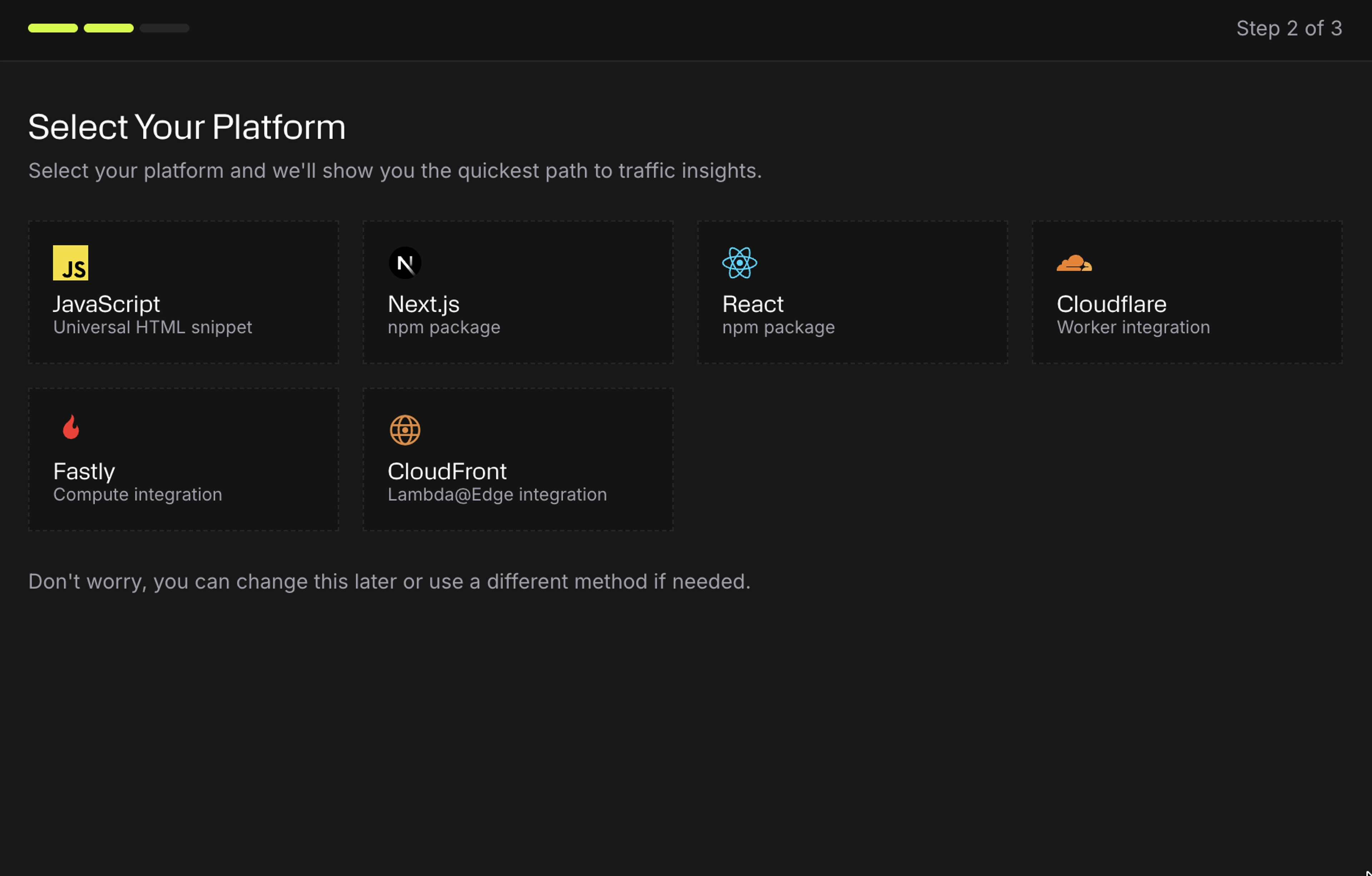
These enhancements enable organizations to deploy sophisticated session enrichment immediately, rather than investing engineering resources to build, integrate, and continuously maintain proprietary network and session detection logic.
Improved Visibility to Understand the Health, Freshness, and Usage of Spur
Intelligence is most useful when you can trust that it's current, available, and working as expected. Several updates in this release give customers better visibility into the health and usage of the Spur products they rely on every day.
Monocle App Health at a Glance
Once Monocle is deployed, you need to know that session assessments are continuing to flow as expected. The Monocle app now includes a live, color-coded health status – including healthy, warning, and inactive labels – so teams can quickly identify applications that may need attention.
If an app unexpectedly stops sending traffic, Monocle displays a prominent warning banner. This provides an immediate visual indication that an integration may have stalled or that traffic patterns have changed unexpectedly, rather than requiring teams to discover the issue later through missing assessment data.
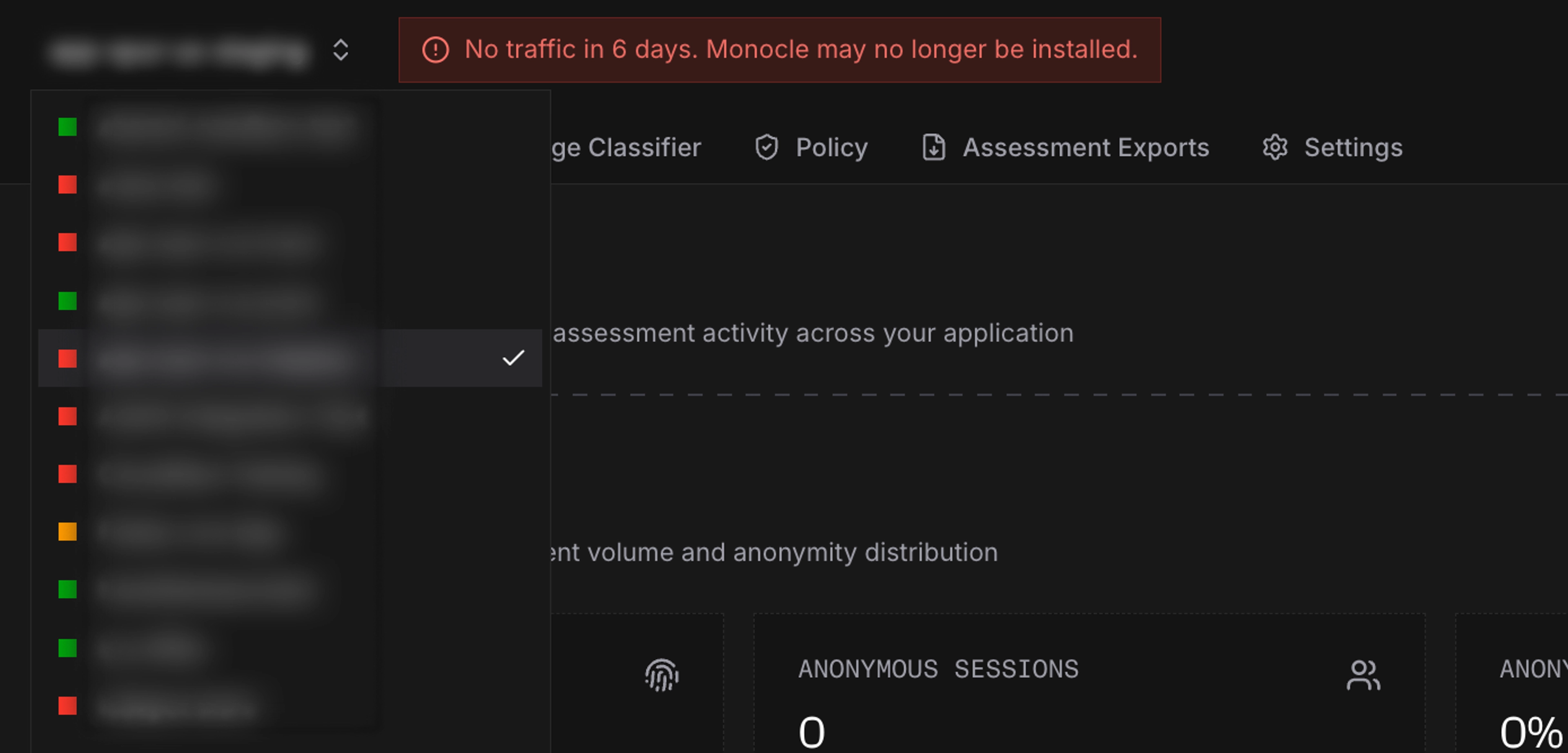
This enhancement provides greater confidence that Monocle is operating as expected and much faster visibility when an integration stops sending traffic.
Refreshed Data Feeds and Context API Pages
We’ve refreshed the Data Feeds and Context API pages to provide more useful operational information directly within the Platform.
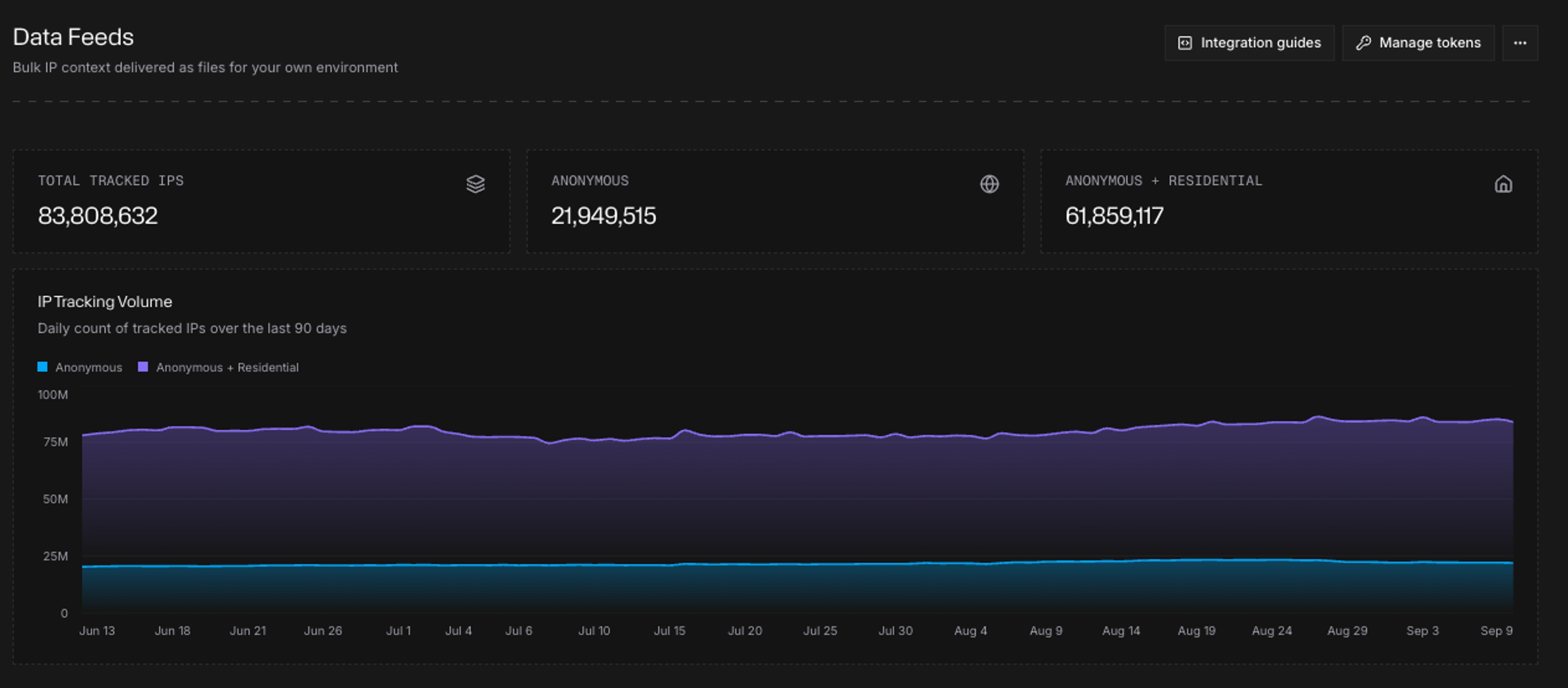
For Data Feeds, you can now see release freshness for each feed along with a 90-day volume chart. This makes it easier to confirm that the data you depend on is current and to understand how feed volumes are changing over time.
For Context API, new usage cards show queries today, daily average, and peak day alongside your overall plan usage. Teams can quickly understand normal API consumption, identify higher-volume periods, and see how current usage compares with their plan without having to calculate it separately.
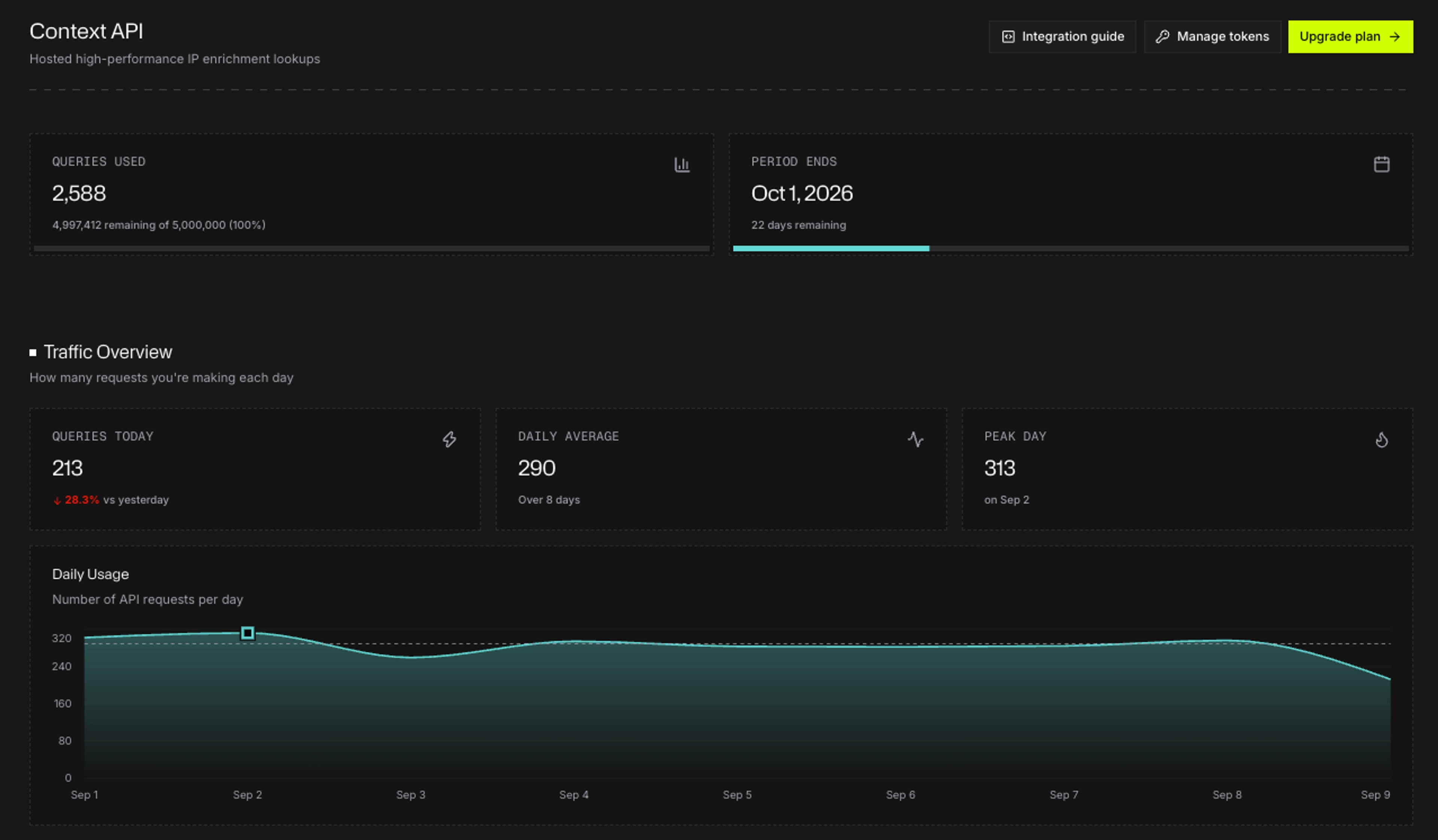
These enhancements deliver faster answers to everyday operational questions like “Is my feed current?” and “How much of our API capacity are we actually using?”
Monocle Rows No Longer Count Against Your Usage Meter
Customers using Monocle generate a growing source of session-level intelligence that can be useful for investigation and analysis. We don't want exploring that data to consume the search capacity you use for other investigations.
That’s why analyzing Monocle assessment data within the Explorer view no longer counts toward your search usage meter. You can explore Monocle assessment data more freely without those rows reducing the search usage available under your plan.
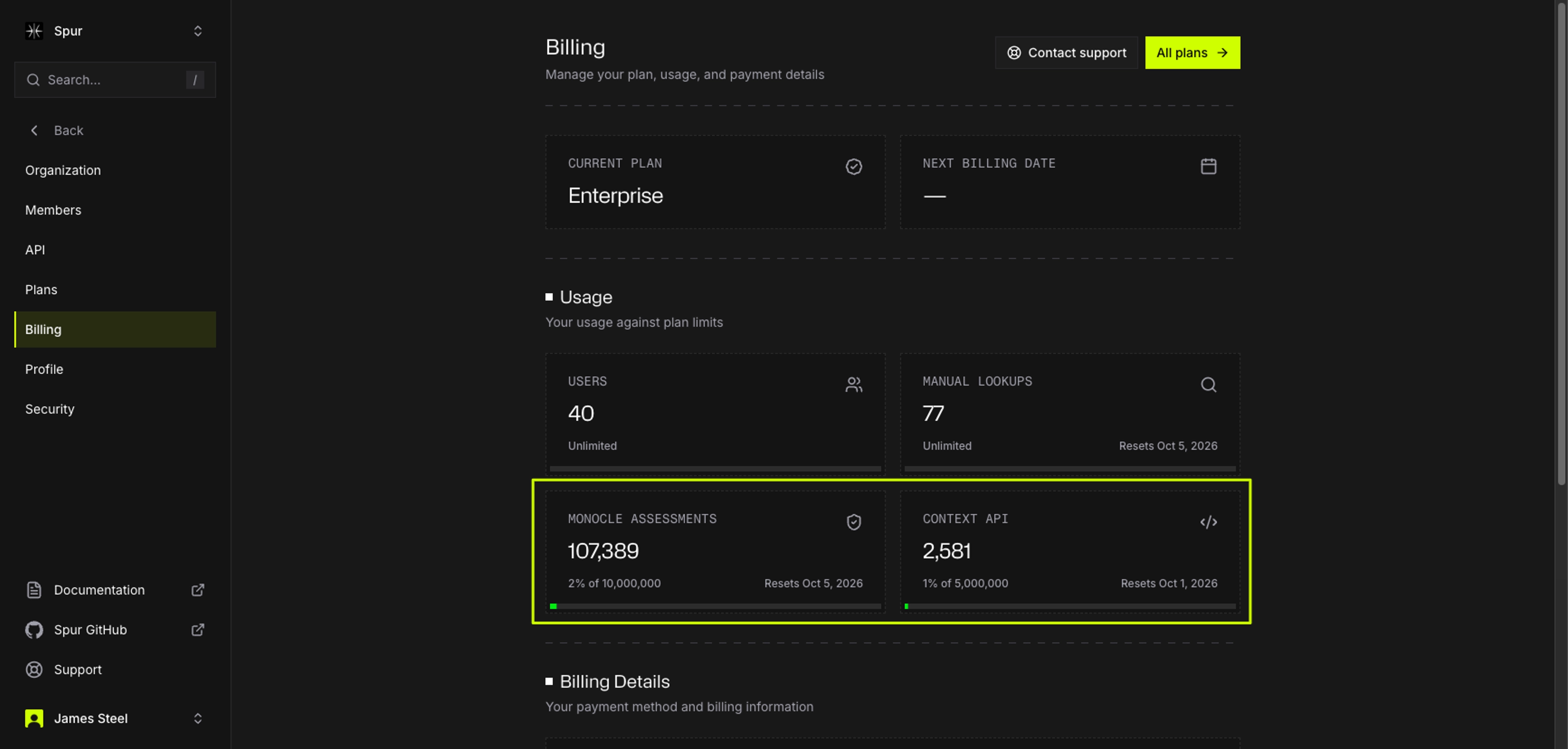
This enhancement provides more room to investigate Monocle data while preserving your Search capacity for IP, ASN, service, and other investigations.
Get Answers Faster
Whether you're investigating suspicious infrastructure or figuring out how to use a Spur capability, we've made several improvements designed to shorten that path.
Refreshed ASN Pages
We’ve redesigned ASN pages to make it easier to understand the characteristics of an autonomous system at a glance. New cards surface key indicators including anonymization density, geographic presence, infrastructure composition, and VPN and proxy service counts, giving investigators a faster way to understand what kind of activity an ASN supports.
The redesigned view also makes it easier to distinguish between ASNs dominated by conventional infrastructure and those with a meaningful concentration of VPN, proxy, residential, or other anonymization activity. Instead of piecing together individual indicators, analysts can quickly establish context before drilling deeper into specific services or IP addresses.
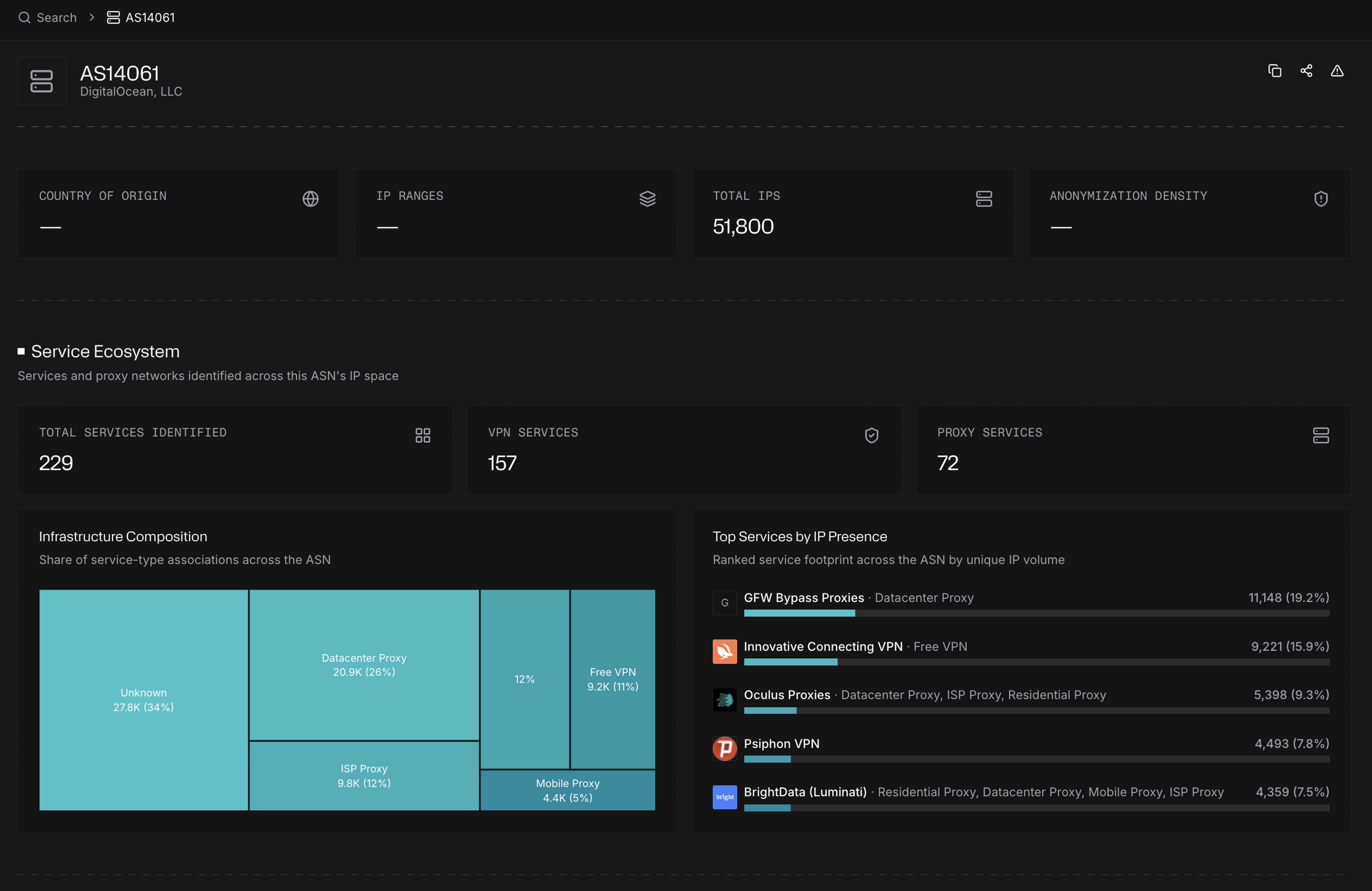
This enhancement provides faster, clearer answers – particularly when you need to determine whether activity represents ordinary internet infrastructure or an environment commonly associated with anonymization.
Mobile Search Optimization
Search is increasingly useful wherever an investigation happens – not just when you're sitting at a desktop. With this release we’ve redesigned the mobile search experience specifically for smaller screens, with a dedicated mobile header, faster access to navigation and search, and the same command palette available on desktop.
You can quickly look up an IP address, ASN, or service from your phone without navigating a desktop interface compressed onto a smaller screen. Results and key Platform functions are easier to reach, making quick checks much more practical when you're away from your primary workstation.
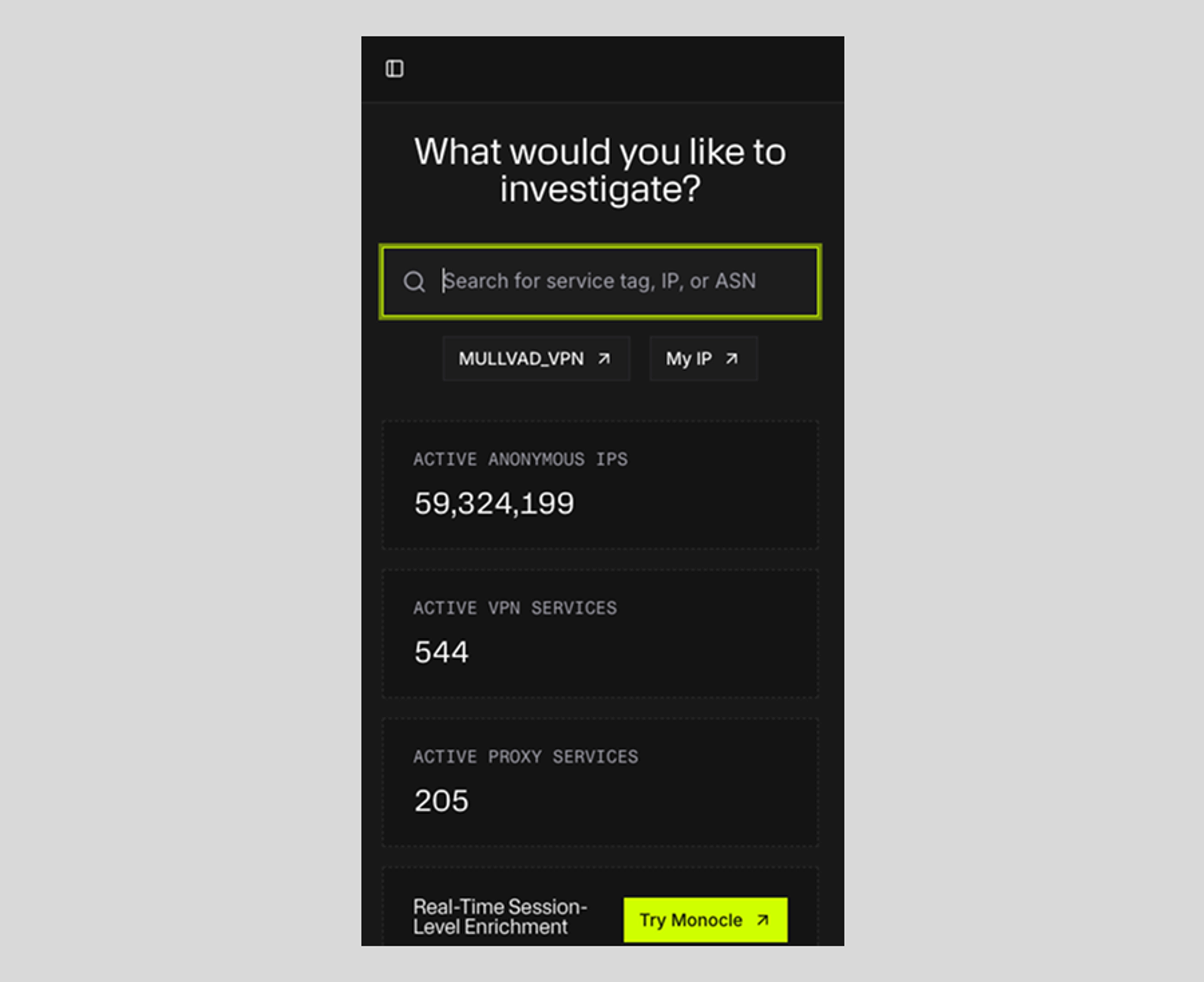
This usability enhancement delivers a faster, cleaner way to investigate infrastructure from your phone when you need an answer immediately and aren't at your desk.
New Knowledgebase in Docs Section
The Spur documentation site now includes a searchable Knowledgebase designed to make common questions, implementation guidance, and technical concepts easier to find.
You can search directly for an answer or browse content by format – including FAQs, guides, and explainers – and by topic. Whether you're looking for help understanding anonymizing infrastructure, working with Spur Platform and data, or applying Spur intelligence to fraud prevention and security operations, the Knowledgebase provides a faster path to relevant guidance.
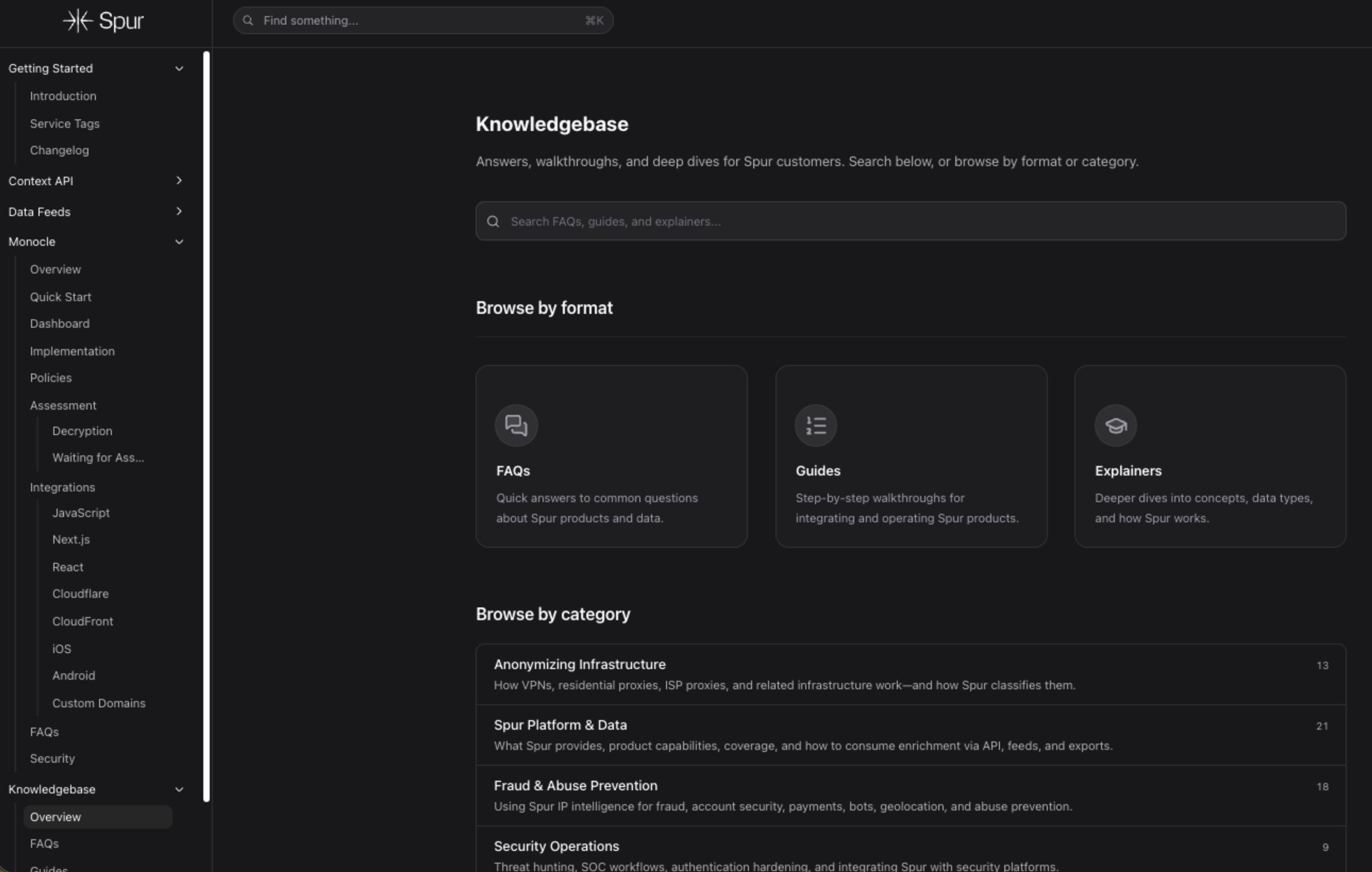
With this enhancement, more answers are available on demand requiring less time searching through documentation and fewer reasons to open a support ticket for common questions.
Next Steps
Updates in this release are all part of the same goal: making Spur intelligence easier to deploy, understand, and put into action, whether you're enforcing trust at the edge or investigating the infrastructure behind suspicious activity.
Spur customers, contact your customer success manager for more information. If you are not currently a Spur customer and want access to these features and more, sign up for our free version today.
See the Difference Between Raw Data & Real Intelligence
Start enriching IPs with Spur to reveal the residential proxies, VPNs, and bots hiding in plain sight.